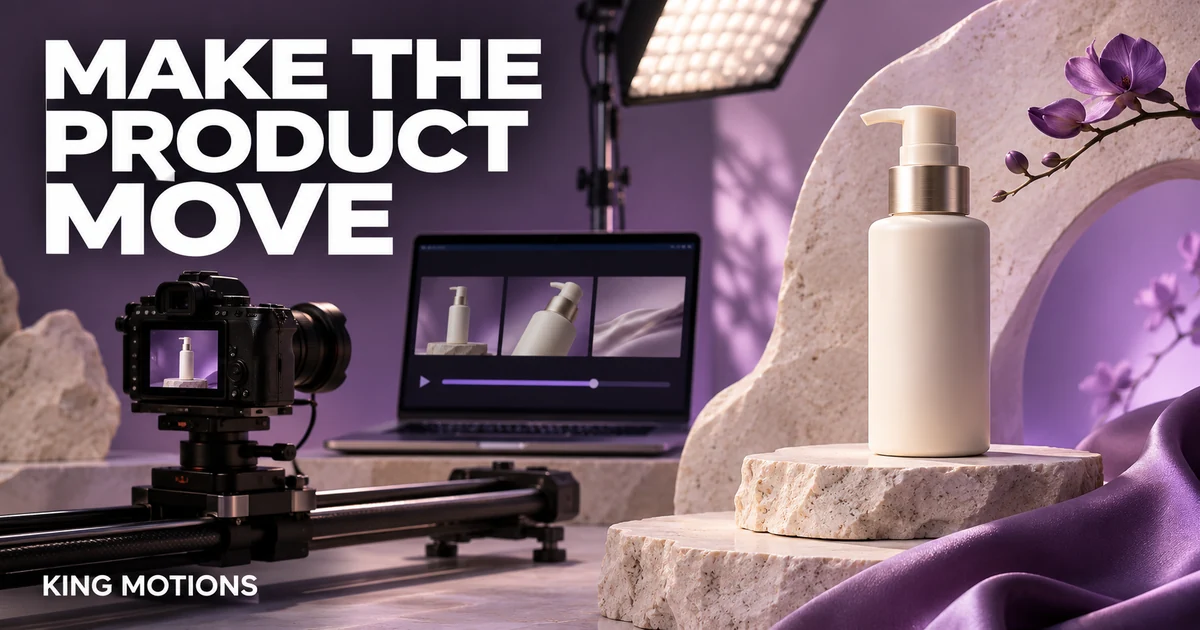
You upload a good product photo, ask for a dramatic camera move and get a bottle that bends halfway through the clip. Better Runway image-to-video prompts begin with a smaller question: what is the simplest motion that will make this particular image useful?
This workflow uses a fictional skincare bottle on a stone pedestal. It is an original planning example, not a generated-result claim. The aim is to produce a shot you can inspect and edit, rather than ask one prompt to create an entire campaign.
Prepare the starting image
Use a sharp image with a clear silhouette, controlled reflections and enough room around the product for the intended movement. Check the cap, label and edges at full size. A warped starting image gives you a poor reference before the video generation begins.
Runway's image-to-video prompting guide explains the different roles of the image and the motion prompt: the image establishes visual information, while the text guides what happens. Verify the current model's supported inputs and settings in your account.
For a real client product, use an approved photograph and keep it available for side-by-side review. Do not let a generated clip quietly redesign the packaging. If fine print must be readable, plan for a separate still or graphic rather than depending on a moving AI-generated label.
Choose one motion to test
| Idea | What the prompt should emphasise | What to inspect |
|---|---|---|
| Slow push-in | A gentle camera move towards a stationary product. | Edges, cap shape and unintended zoom distortion. |
| Light movement | A subtle highlight moving across a stable surface. | Whether the material and label stay consistent. |
| Small background motion | A restrained change behind a stationary product. | Whether the background overlaps or alters the object. |
A complex orbit may expose surfaces absent from the starting photo. That can demand more invention from the model. If the real packaging must remain precise, choose a move that reveals less unseen information or obtain additional approved reference material.
Write a short, specific motion prompt
The camera slowly pushes towards the bottle. The bottle stands still on the stone pedestal. Soft studio light creates a gentle highlight along the curved edge. Calm, realistic motion.
The example does not describe the bottle's entire appearance again. It gives the shot one movement and a clear subject. Adapt it to the starting image instead of copying it into an unrelated scene. A prompt about a curved bottle will not suit a flat cardboard box without revision.
Runway's prompting introduction recommends starting with a clear idea and refining it. Treat each iteration as a change you can explain. If you alter the camera, lighting, duration and background at once, it becomes harder to learn which change helped.
Review the shot like a product editor
- Watch the whole clip at normal speed to judge whether the motion is useful.
- Check the first, middle and final frames against the approved product photo.
- Inspect the silhouette, cap, label position and material.
- Look for flicker, accidental text, extra objects and changing shadows.
- Decide whether a shorter clean segment is usable or the shot needs another attempt.
Do not judge only the opening frame. A clip can begin convincingly and drift later. Keep the useful section only if the final use remains an accurate presentation of the actual product.
Keep a shot log to control revisions
Save the source-image name, prompt, selected model, aspect ratio, duration and result. Add one sentence explaining why you kept or rejected it. This makes client revisions easier to discuss: “The handle changes shape near the end” is more actionable than “version three feels off.”
Check the displayed cost before each generation. Credit costs and available modes can change with the model and account. A store package's allowance does not guarantee a fixed number of finished shots, especially when several attempts are needed.
Plan the wider sequence with the AI video storyboard guide. Once the shot is accepted, add the exact headline and call to action in your editor. The CapCut Reels export checklist helps with the final vertical deliverable.
Choose access around the shot you need
Review Runway packages and the existing Runway buying guide for current seller details. Confirm the model, image-to-video mode, credits and account arrangement before purchase. A historic product or guide label does not establish access to the newest model.
For other production options, compare Higgsfield and Google AI Pro / Flow against the same shot requirement. Use a small trial and your own acceptance criteria rather than assuming one tool will suit every product.
Before the next render
Should I describe everything already visible in the photo?
Use the image as the visual reference and focus the prompt on the motion you want. Add detail when it resolves a specific ambiguity rather than repeating the entire scene.
Can a prompt guarantee perfectly unchanged packaging?
No. Inspect the output carefully. Use real footage or a controlled non-generative animation when exact product representation cannot tolerate generation errors.
What should I change after a warped result?
Try a simpler movement and check the source image first. Change one variable at a time so you can judge whether the next result is better.