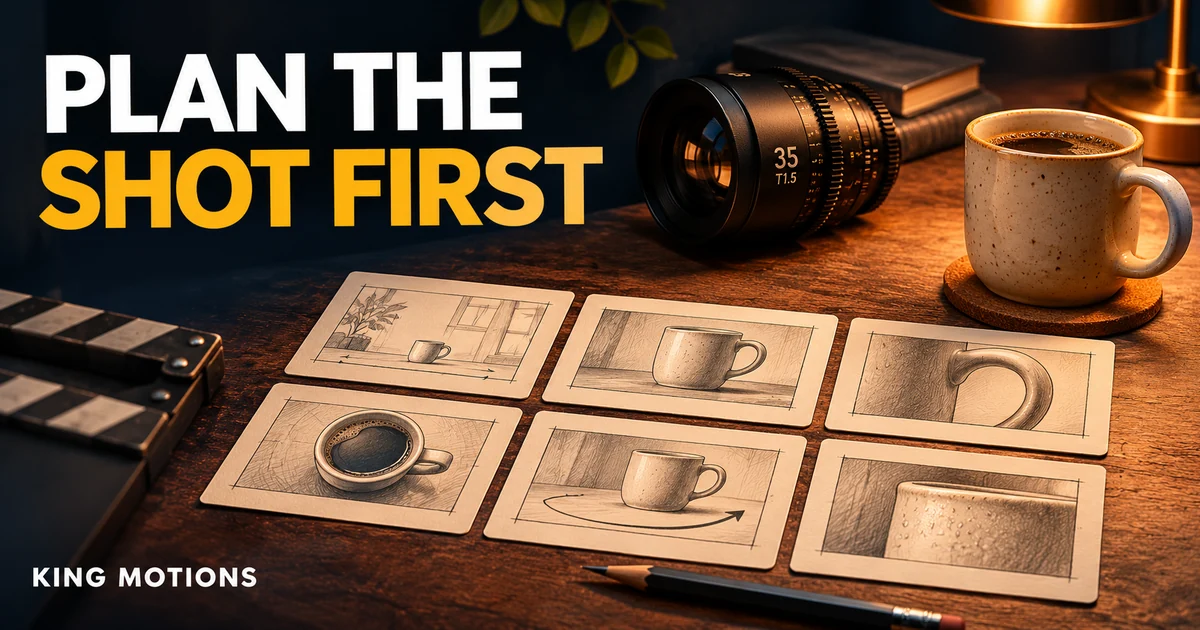
A beautiful AI clip can still be useless in an advert. The mug faces the wrong way, the background changes halfway through, or there is nowhere to place the offer text. An AI video storyboard helps you decide what each shot must do before you spend a generation on it.
Start with a short sequence you could explain on paper. This guide uses a fictional coffee-mug advert to show the process. It is a planning example, not a claim that a particular model will produce six matching shots on its first attempt.
Write the smallest useful brief
Suppose a local ceramics shop wants a 15-second vertical video for a handmade mug. Its goal is to show the shape, the glaze and the handle, then invite enquiries. You have one approved product photo and permission to use it. You do not have permission to invent a discount, a delivery promise or a customer review.
Write down the destination, aspect ratio, maximum duration, approved text and essential product details. Choose one visual setting, such as a warm breakfast table. This gives every later decision a job: a shot either supports the product story or makes the sequence harder to finish.
Build a six-shot list
| Shot | Purpose | Production note |
|---|---|---|
| 1. Wide setup | Establish a quiet breakfast setting. | Keep the mug clearly visible; leave room for the opening line. |
| 2. Glaze detail | Show the surface texture. | A slow move is enough; avoid changing the finish. |
| 3. Handle angle | Show the product shape. | Use an approved reference from this angle if available. |
| 4. Use moment | Suggest how the mug fits the setting. | Complex hands and pouring can need more review. |
| 5. Hero frame | Give the viewer a clean product view. | Keep the silhouette and label area stable. |
| 6. End card | Give an approved next step. | Add exact text in an editor for control. |
These are editing beats, not instructions to generate six separate paid clips. Some beats may come from a real still, a crop or one useful section of an existing clip. A three-second shot may need only a small camera movement. Decide which moments actually need generative video.
Give continuity its own checklist
For each shot, record the mug's colour, handle position, background, light direction and framing. Keep a single approved reference set. If the object changes shape between clips, an elegant transition will not fix it. Replace the shot or reduce the movement rather than hiding the inconsistency under effects.
Google's Flow creation guide explains reference ingredients and start/end frames, with feature availability varying by model and region. Use the options actually present in your account. Prepare clean reference images and avoid a text prompt that contradicts what they show.
Write one prompt for one shot
A slow camera push towards the ceramic mug on the wooden table. Soft morning light from the left. The mug remains stationary and keeps the same shape and glaze. Gentle steam rises. Calm, realistic motion.
This example describes a single intention. It does not ask for a rotating product, a moving person, an opening window and a scene change at once. Start with the most important motion, inspect the result, and add complexity only when the basic shot holds together.
Record the settings next to the prompt: tool, selected model, aspect ratio, output duration and generation count. Check the displayed credit cost before submitting. A monthly credit allowance is not a promise of a fixed number of usable adverts; retries and different operations can consume it differently.
Approve the sequence before polishing it
- Arrange rough stills in the intended order and check whether the story makes sense.
- Generate the most uncertain shot first, especially one involving product handling.
- Reject warped shapes, accidental text or misleading product behaviour.
- Assemble the useful clips, then add approved titles, audio and the end card.
- Review the final video on a phone at normal playback speed.
Compare the current Google AI Pro / Flow package and Higgsfield packages against the specific modes and allowances you need. The Higgsfield guide explains package checks; our Runway product-prompt workflow focuses on controlling one image-to-video shot.
Before the first generation
Do I need a paid storyboard tool?
No. A page with boxes, shot notes and timings is enough to plan a short sequence. Use a tool only if it makes collaboration or revisions easier.
Should every shot use the same prompt?
Keep the product and setting notes consistent, but give each shot its own purpose, framing and motion. Repeating a paragraph does not guarantee visual continuity.
Can AI generate the offer text inside the video?
You can experiment, but important names, prices and contact details are easier to control in the final editor. Check the exported video rather than relying on the prompt.