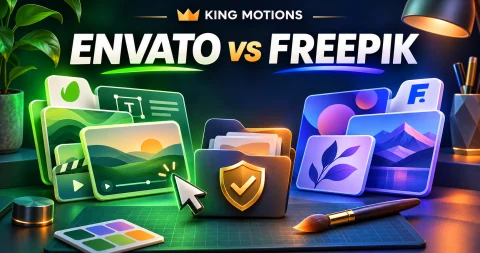
Envato Elements vs Freepik is a useful comparison when a client brief needs assets as well as an editor. You might need a video template, a product mockup, an illustration and a presentation in the same week. The right library is the one that fits those deliverables and gives you clear permission for the intended use.
Freepik's official pages now use Magnific branding in places, and the King Motions listing is labelled Freepik/Magnific. Check the current provider site when comparing features or licence terms. Older tutorials may use a different name or describe a previous subscription structure.
Compare a real brief instead of catalogue size
Create a small asset list from the work you expect to finish. For a restaurant campaign, that could be a menu layout, a food illustration, a short video opener and an editable offer graphic. Search each library for those exact needs before buying.
| Question | What to inspect | Why it matters |
|---|---|---|
| Does the asset fit the brief? | Composition, subject and editable elements | A beautiful preview may still require extensive rework |
| Can I open the file? | Software version, format and dependencies | The subscription does not supply every editing application |
| Can I use it for this client? | Applicable asset licence and project requirements | Download access alone does not explain usage rights |
| Can I hand over the required files? | Rules for end products, source assets and redistribution | Client delivery needs may differ from your own use |
Use the same brief in both libraries. Otherwise, it is easy to compare one platform's strongest search result with an unrelated example from the other.
What to check in an Envato workflow
Envato documents its stock-asset licence as project-based: each new project needs its own registration for the item. It distinguishes stock catalogue assets from output produced with its AI tools, which has separate terms. Read the full wording for your intended use instead of relying on a generic “commercial use” badge. Envato's official licence overview links to those terms.
In practical terms, plan your recordkeeping before the deadline. Keep the asset page, the project registration and the final deliverable together. If the same template is used for a second client, review the registration requirement again rather than copying a previous client's licence record.
Preview media can also deserve a separate check. Make a list of fonts, images, audio and plugins needed to reproduce the result. The preview is a demonstration of a design, not an inventory of everything your particular download necessarily contains.
What to check in a Freepik/Magnific workflow
The provider's current plan documentation separates stock content, AI tools and their allowances. The applicable plan and asset terms should be checked for the exact task, especially when a design will be used commercially or sold as part of a product. See the current Freepik/Magnific plan documentation and its terms of use.
During your comparison, open the actual asset page rather than judging only the thumbnail. Check file formats, available sizes and what you can edit. For a mockup, decide whether the customer needs a finished image or an editable source project; those are different deliverables.
If the brief involves generated images, record which tool and account created the output and which terms applied. A stock download allowance and an AI-generation allowance are not interchangeable measures of value.
Try a short selection exercise
- Write down three recurring deliverables from your last or next project.
- Find two plausible assets for each deliverable in both libraries.
- Check formats and editing-software requirements.
- Read the applicable terms for the intended client use.
- Estimate adaptation time and make a shortlist.
- Compare current subscription access against that shortlist.
Do not invent a time-saving percentage before trying the work. A designer who mostly edits existing layouts may value a library differently from a video editor who needs compatible motion templates. Your brief provides the evidence for your own decision.
Keep the licence record with the client project
Use a project folder with the approved brief, asset references, licence records, working files and exports. Note what the client may receive and what must remain a library reference. If the contract asks for rights that the asset terms do not clearly provide, resolve that before using the asset.
For current seller offers, compare Envato Elements and Freepik/Magnific. Confirm account access and whether you can obtain the appropriate licence record for your project. A low-priced access offer should not be assumed to transfer rights automatically.
You may also need compatible editing software for the selected files. Our Canva vs CapCut guide helps with a simpler graphics-and-video workflow, while the caption checklist covers the finishing stage for spoken clips.
Frequently asked questions
Which library is better for every freelancer?
There is no single winner for every brief. Compare assets you actually need, the required editing software, adaptation time and the applicable usage terms.
Does downloading an asset mean I can resell the source file?
Do not assume that. Read the applicable licence and distinguish a permitted finished client deliverable from redistribution of the original asset.
Should I keep licence records after delivering the work?
Keep the relevant records with the project. They help you identify which asset and permissions applied when a client asks for a later revision or another use.